Watch the product
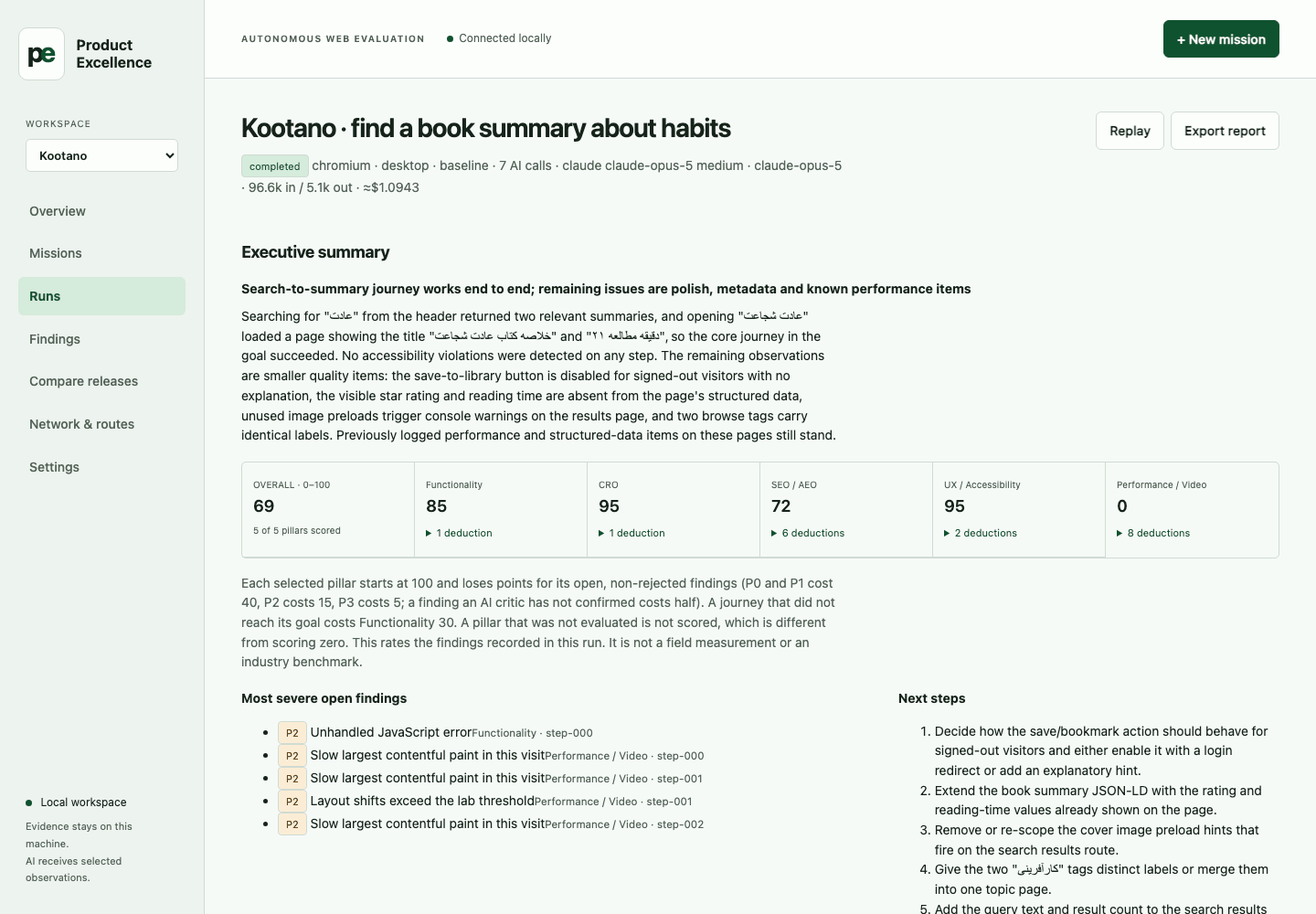
See the agent do the work.
Five real demonstrations on websites and Android apps, from a first run to competitor benchmarks, release comparison and APK regression testing. Narrated in Persian.
The agent moves through a website or Android app like a real user, keeps screenshots and video, and prioritizes findings across UX, accessibility, SEO, AEO, CRO and performance.
Upload an APK, run a mission on the emulator, keep actions, screenshots and video, then compare app versions to catch regressions before release.
Compare two releases, separate new, resolved and persisting findings, throttle the network or route through a proxy, and share results on your own team server.
One real user goal run read-only across Ring, Filimo and their competitors: an apartment search and picking a comedy series, scored on the same criteria.
Play, seek, volume, quality, speed and full screen exercised like a user, with UX, accessibility, SEO, AEO, CRO, performance, JavaScript errors and network findings in one run.
From goal to proof
A test you can argue with.
Describe a task in plain language. Product Excellence runs it in Chromium, Firefox, WebKit or an Android emulator, as a free goal or an ordered journey, and shows exactly why each finding exists.
Define a mission
Choose a website or Android target and set the goal, boundaries and budget. Or write one sentence and pick from four drafted missions.
Watch the journey
Follow each action beside the worker’s reason for it. A run pauses to ask you which way to sign in or for a one-time code, and never stores the value.
Challenge findings
Inspect screenshots, measurements, traces, video and critic verdicts.
Compare and share
Separate new, persisting and not-seen-again issues across releases. Export a finished run as one HTML report to send, with the screenshots inside so it opens offline.
Every workspace starts with 10 editable missions
- Home page · five-pillar audit
- Register · reach the sign-up form
- Sign in · account access
- Search · find something specific
- Core features · detect and use
- Pricing and checkout · up to payment
- Get the app · mobile app download
- SEO and AEO · search and answer readiness
- UX, UI and accessibility · keyboard and screen
- Slow mobile · core task on a poor connection
Twelve shipped journeys, none tied to a platform
- Playback across a transport switch
- Playback across a dropped connection
- Download over a weak link with pauses
- Downloads and search history per account
- A notification opened much later
- A shared link opened while signed out
- A signed-in session survives a restart
- A filter that survives a restart
- Sign-out really signs out
- Back after a search keeps the results
- A form rejects bad input before sending
- Checkout up to payment on a slow link
One console, five pillars
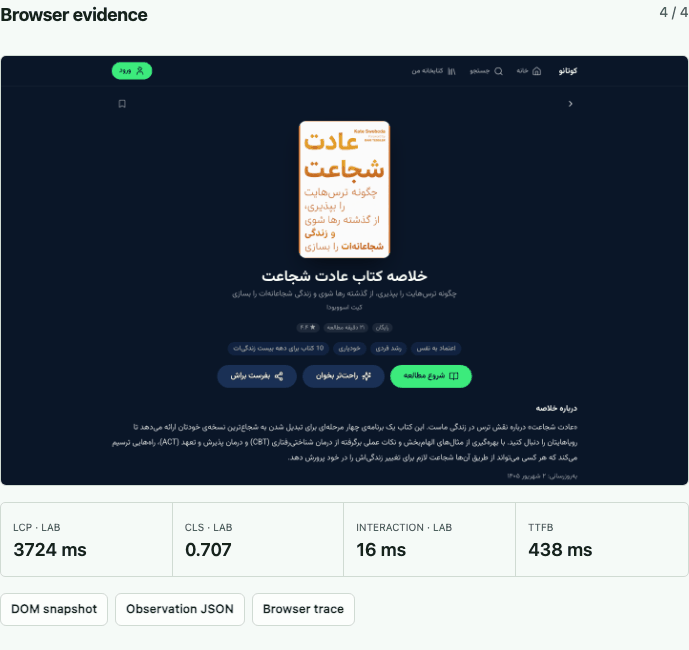
AI judgment beside deterministic measurements.
Use goal-driven journeys, deterministic audits, network profiles and competitor benchmarks without turning an unavailable signal into a reassuring zero. A benchmark becomes a playbook: each problem sits beside the competitor screenshot that shows the fix, with the element outlined.
- Functionality
- CRO
- SEO / AEO
- UX / Accessibility
- Performance / Video
Conditions you control
Measured under the conditions you name.
A journey can change its route, its link and who is at the screen mid-run. What the run cannot establish it refuses, instead of reporting it as done.
Route
A step names a saved HTTP(S) proxy route or
direct. The run’s own relay switches the exit mid-journey, probes and records the exit address, and stops the run if the route cannot be established. Credentials stay in the relay. What it establishes is the exit address, not country or carrier.Network
Link shaping in Chromium. On Android, latency and bandwidth go through the emulator on mobile data and are restored when the run ends. Shaping that was never measured there is refused.
Operator
A manual step pauses the recording before it asks you to act. When the run needs a value or a sign-in method, it asks and carries on; values are masked and scrubbed from the evidence.
Bounded by default
The AI has no hands.
It proposes one schema-validated browser action at a time. The engine decides whether that action is allowed and records refusals as part of the result.
- Your subscriptionUses the Claude Code or Codex client you already sign in to. No API key is stored or required.
- Read-only firstMutating network requests are blocked by default. Payments, deletion and publishing controls stay refused.
- Bounded targetsThe browser stays on explicit domains; Android runs use one designated disposable AVD and a pinned APK, launched against the run’s relay so no app in the guest can opt out of the route.
- Honest evidenceUnmeasured signals are unavailable, not zero. Findings retain their source evidence and critic verdict. A screen that cannot be read is a coverage gap, not a defect; unconfirmed behaviour is a question, not a finding.
Public source, local execution
Clone it. Start it. Point it at your site.
The supported local setup is macOS. The first start installs its own Python dependencies and three browsers, then opens the console at 127.0.0.1:8741.
git clone https://github.com/parhumm/product-excellence.git
cd product-excellence
./start.command
AI journeys need an authenticated Claude Code or Codex client. Deterministic audits work without either. Your database and captured evidence stay in the local data/ directory.